
 C.K. Gupta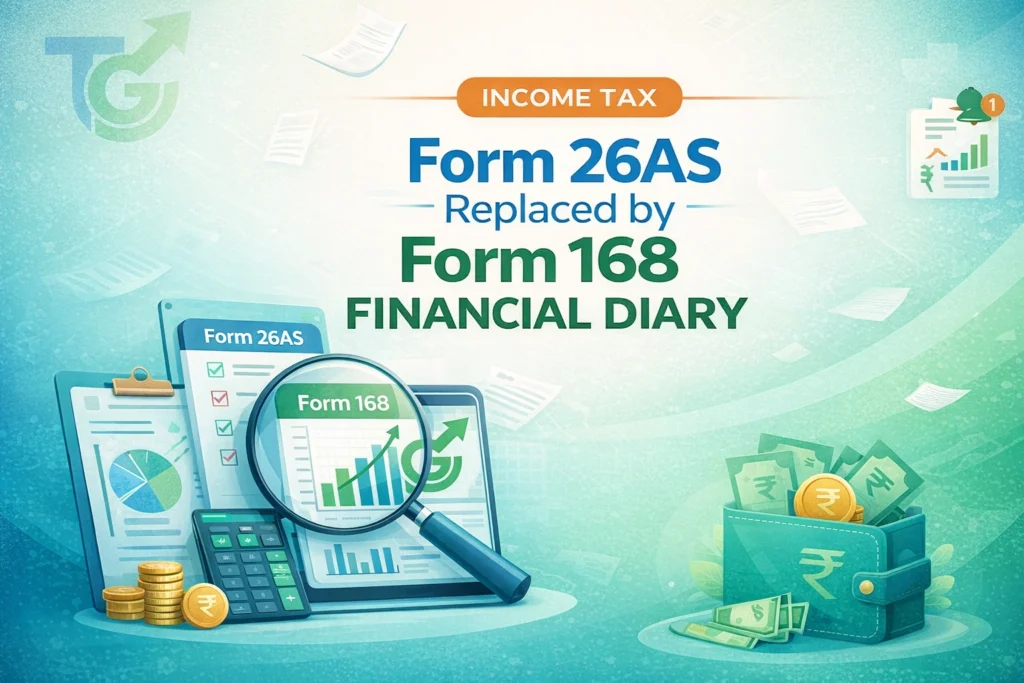
Also Read-New TDS Return Forms 138 & 140: Goodbye 24Q and 26Q
If you’ve ever filed an ITR only to find discrepancies because your Form 26AS didn’t reflect recent TDS entries, this change will feel like a breath of fresh air. The shift aligns with the government’s broader push toward transparency, automation, and real-time compliance under the new tax regime effective April 1, 2026. From salaried individuals to freelancers and small business owners, everyone who pays taxes or receives income subject to TDS must now interact with Form 168 instead of the legacy Form 26AS.
What’s New:
-
- Form 26AS is discontinued; all taxpayers must now use Form 168 (Financial Diary) for tax credit verification
- Real-time updates: TDS, TCS, advance tax, self-assessment tax, and refunds appear instantly
- Integration with GST, banking, and investment platforms for holistic financial tracking
- Mandatory for ITR filing starting Chart (FY) <strong>Tax Year</strong> 2026-27 (AY 2027-28): New Income Tax Act 2025 Rules” href=”https://taxgst.in/tds-rate-chart-fy-tax-year-2026-27-ay-2027-28/”>Tax Year 2026 (income earned April 2025–March 2026)
- Accessible via the new e-Filing 3.0 portal at https://www.incometax.gov.in
| Feature | Old Form 26AS | New Form 168 (Financial Diary) |
|---|---|---|
| Update Frequency | Monthly/Quarterly | Real-time (within 24–48 hours) |
| Data Sources | TDS/TCS only | TDS, TCS, GST, Bank Interest, Capital Gains, Advance Tax |
| Access Method | TRACES portal or e-Filing | e-Filing 3.0 portal only |
| User Interface | Text-heavy, hard to read | Dashboard-style with filters, graphs, and alerts |
| Mandatory for ITR? | Yes (but often incomplete) | Yes (and now comprehensive) |
Who Needs to Act — And Why It Matters
If you’re a taxpayer in India—whether salaried, self-employed, or running a business—you need to understand Form 168 immediately. Unlike the passive nature of Form 26AS, which many treated as a post-filing formality, Form 168 is proactive. It’s designed to catch errors before you file your ITR. For instance, if your employer deducted TDS but didn’t deposit it on time, you’ll see that gap instantly in your Financial Diary. Similarly, if you sold shares or mutual funds and the broker reported capital gains under your PAN, that transaction appears alongside your salary TDS.
This level of integration means fewer surprises during assessment and reduced risk of notices from the department. Even senior citizens earning interest above ₹50,000 annually will benefit, as banks now report interest data directly to Form 168. Non-resident Indians (NRIs) receiving rental income or dividends in India must also monitor their Financial Diary, as TDS on such payments is now tracked in real time. In short, if your PAN is linked to any financial activity, Form 168 is your new command center.
Step-by-Step Process to Access and Use Form 168
-
- Step 1: Log in to the updated e-Filing portal (https://www.incometax.gov.in) using your PAN, password, and OTP. Ensure your mobile number and email are verified—this is mandatory for real-time alerts.
- Step 2: Navigate to ‘My Account’ > ‘Financial Diary (Form 168)’. You’ll land on a dashboard showing your total tax credits, pending items, and recent transactions.
- Step 3: Use the filter options to view data by financial year, source (e.g., salary, rent, interest), or deductor (employer, bank, etc.). Click on any entry to see details like challan number, date, and amount.
- Step 4: If you spot a discrepancy—say, missing TDS from your employer—click ‘Raise Dispute’. The system auto-generates a ticket sent to both you and the deductor. Most disputes are resolved within 7 days.
- Step 5: Download your Form 168 as a PDF before filing ITR. Starting July 2026, ITR-1 and ITR-2 will require uploading this document. Keep a copy for at least 6 years.
- Step 6: Set up email/SMS alerts for new entries. This helps you track quarterly TDS, advance tax payments, and refund status without manual checks.
Documents Required to Verify Your Financial Diary
-
- Form 16 (Salary TDS Certificate): Issued by your employer by June 15. Cross-check Part B with your Financial Diary’s salary section.
- Form 16A (Non-Salary TDS Certificate): For rent, professional fees, or contractor payments. Must match entries under ‘TDS from Others’.
- Bank Statements (Last 12 Months): To verify interest income reported by banks under Section 194A.
- Capital Gains Statements: From brokers or mutual fund houses showing sale/purchase dates and STT paid.
- Advance Tax Challans (if applicable): For self-employed individuals or businesses paying tax in installments.
- PAN-Aadhaar Linking Confirmation: Required to ensure all transactions are mapped correctly to your PAN.
Common Mistakes to Avoid
-
- Ignoring real-time alerts: Many taxpayers still wait until June to check their tax credits. With Form 168, you should review it monthly—especially after salary hikes or bonus payments.
- Assuming all TDS is auto-credited: Even with real-time updates, deductors sometimes misreport PAN or amount. Always cross-verify with Form 16/16A.
- Not linking all bank accounts: If you have multiple savings accounts, ensure all are linked to your PAN. Otherwise, interest from unlinked accounts won’t appear in Form 168.
- Overlooking GST-related TDS: Under Section 51 of CGST Act, certain suppliers deduct TDS. This now shows up in Form 168—don’t miss it if you’re a registered dealer.
- Filing ITR without downloading Form 168: As of Tax Year 2026, the ITR utility will reject submissions lacking the Financial Diary PDF. Don’t risk late filing.
Expert Recommendations
-
- Review Form 168 every quarter: Align it with your Form 26AS equivalent (now obsolete) to catch gaps early. I’ve seen cases where clients missed ₹18,000 in TDS because their contractor used an old PAN.
- Use the ‘Download All’ feature: Export your entire Financial Diary as an Excel file for record-keeping. This helps during audits or loan applications.
- Enable two-factor authentication: Since Form 168 contains sensitive financial data, secure your e-Filing account with biometric or Aadhaar-based login.
- Educate your employer/accountant: Many HR departments still generate Form 16 based on old templates. Ask them to confirm TDS details match your Financial Diary before issuance.
- Check for ‘Pending Verification’ tags: Some entries may show as provisional until the deductor confirms them. Follow up if they remain unresolved for over 10 days.
Real-World Scenarios: How Form 168 Helps
Case 1: Salaried Professional with Multiple Income Streams Rahul, a software engineer in Bengaluru, earns ₹14 lakh annually from his job and ₹1.2 lakh from freelance projects. Last year, he missed ₹9,000 in TDS on freelance income because it wasn’t reflected in Form 26AS until August. This year, he logged into Form 168 in May and saw the TDS entry within 3 days of payment. He downloaded the certificate, added it to his ITR, and avoided a ₹2,700 interest penalty under Section 234A.
Case 2: Small Business Owner Paying Rent Priya runs a boutique in Delhi and pays ₹30,000/month rent. Her landlord deducts TDS under Section 194-I but often delays depositing it. With Form 168, Priya received an alert when the TDS wasn’t credited by the 7th of the next month. She reminded her landlord, who deposited it promptly. Without real-time tracking, she would’ve faced disallowance of rent expense during assessment.
Case 3: Senior Citizen Earning Interest Mr. Iyer, aged 72, earns ₹62,000 annually from fixed deposits. Banks deduct TDS under Section 194A, but he never received Form 16A. Now, his Form 168 shows all interest entries with TDS amounts. He used this to claim refunds for excess TDS and even applied for Form 15H digitally through the same portal.
Deadline Alert
Critical Dates:
-
- April 30, 2026: Last date for deductors to migrate historical TDS data to Form 168
- June 15, 2026: Form 16 issuance deadline (must align with Form 168)
- July 31, 2026: ITR-1/ITR-2 filing deadline (Form 168 upload mandatory)
- December 31, 2026: GSTR-9 and Form 168 reconciliation for businesses
Quick Reference Table
| Action | Where to Do It | Frequency |
|---|---|---|
| View Form 168 | e-Filing 3.0 > My Account > Financial Diary | Monthly |
| Raise Dispute | Click ‘Dispute’ on any entry in Form 168 | As needed |
| Download PDF | Top-corner of Financial Diary page | Before ITR filing |
| Set Alerts | Profile > Notification Settings | One-time setup |
| Link Bank Accounts | My Account > Bank Account Details | Once |
Frequently Asked Questions (FAQs)
Q1: Can I still access my old Form 26AS data?
Yes, but only as an archive. The Income Tax Department has migrated all historical TDS/TCS data (up to March 2026) into your Form 168 (Financial Diary) under the ‘Historical Records’ tab. You can download past copies from the TRACES portal until June 30, 2026, after which they will be permanently archived.
Q2: What if my employer hasn’t uploaded TDS details yet?
Form 168 pulls data directly from the deductor’s TDS return. If your TDS isn’t showing, check the ‘Pending Items’ section in your Financial Diary. If it’s been over 10 days since the quarterly due date (e.g., May 31 for Q4), contact your HR to verify your PAN and filing status.
Q3: Is Form 168 required for ITR-4 (Presumptive Taxation)?
Absolutely. Even under Section 44AD, you must upload the Form 168 PDF. The system now auto-populates ITR fields using Financial Diary data, so any discrepancies between your filing and Form 168 can trigger instant tax notices.
Q4: How does Form 168 handle capital gains from stocks?
Starting April 2026, brokers and mutual fund houses report transactions directly to Form 168 under Section 194BA. It shows sale value, purchase cost, and TDS in real-time. Note: Crypto/VDA losses are not reported here as they are taxed separately at 30%.
Q5: What happens if I don’t download Form 168 before filing ITR?
Your ITR will be rejected. The new e-Filing 3.0 utility has a mandatory upload field for the Form 168 PDF. Attempting to file without it will result in a validation error: “Financial Diary (Form 168) is required for verification.”
Disclaimer: The information provided in this article regarding Form 168 (Financial Diary) and the Income-tax Act, 2025, is for general informational purposes only. While we strive for accuracy based on the latest notifications from the Income Tax Department (as of April 2026), tax laws are subject to frequent changes. This content does not constitute professional tax, legal, or financial advice. Always consult with a qualified Chartered Accountant (CA) or tax professional before filing your ITR or taking action based on this information. TaxGst.in is not responsible for any discrepancies or penalties arising from the use of this guide.
ITR, GST returns, notices and registrations — fixed fees, human support, on-time filing.
Discover more from TaxGst.in
Subscribe to get the latest posts sent to your email.


Never Miss a Tax Deadline Again
Due-date alerts, GST updates and tax tips — free on the app you already use.
event Next: GSTR-1 (IFF) · 13 Oct