
 C.K. Gupta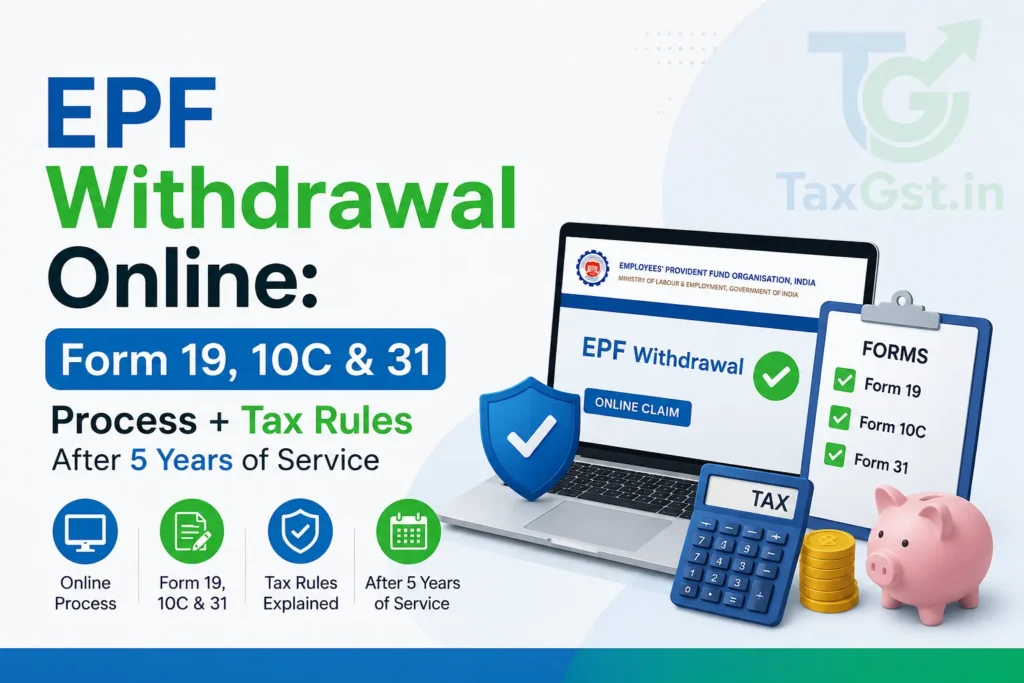
Quick Summary
- EPF withdrawal is fully online via the EPFO portal using UAN-linked Aadhaar and mobile OTP
- Form 19 (final PF settlement), Form 10C (pension withdrawal), and Form 31 (partial advance) serve distinct purposes—choose based on your employment status and need
- Tax-free withdrawal after 5 continuous years of service; withdrawals before 5 years attract TDS unless exempt under Section 192A
- Partial withdrawals for specific purposes (education, marriage, medical emergency, home loan repayment) are allowed even while employed
Are you planning to withdraw your EPF balance but confused about which form to use, when it’s tax-free, or how the new online process works? With over 28 crore active UAN members and rising job mobility, understanding the EPF withdrawal rules isn’t just about accessing your hard-earned savings—it’s about doing it correctly to avoid tax surprises or claim rejections. Whether you’re resigning, switching jobs, or need funds for a medical emergency, the process has evolved significantly since the pre-2017 paper-based era. Today, everything from verification to disbursement happens digitally through the EPFO Unified Portal, but only if your documents and service history align with current compliance norms.
Also Read-EPFO 3.0: The Future of PF Withdrawals is Here – ATM & UPI Access Explained
Understanding EPF Withdrawal Forms: When to Use Which
The Employees’ Provident Fund Organisation (EPFO) allows members to withdraw funds using three primary forms, each designed for specific scenarios:
- Form 19: Used for final settlement of your entire PF balance upon leaving employment. This is mandatory if you’re not transferring your PF to a new employer and want to close your account permanently.
- Form 10C: Applies to withdrawal of your Employees’ Pension Scheme (EPS) corpus. Note: You can only withdraw your EPS pension corpus as a lump sum via Form 10C if you have completed less than 10 years of total service. Once you cross 10 years of service, your pension corpus is permanently locked until retirement.
- Form 31: Enables partial or advance withdrawal while still employed, for defined purposes like house construction, medical treatment, higher education, or repayment of home loan principal.
Crucially, since 2018, EPFO no longer requires physical submission of these forms. All applications are filed online through your UAN dashboard after biometric (Aadhaar-based) or OTP authentication. However, misuse—such as applying for Form 19 while still employed or claiming Form 31 without valid documentation—can lead to rejection or future compliance issues.
Tax Implications: The 5-Year Rule That Matters
The tax treatment of your EPF withdrawal hinges entirely on one factor: whether you’ve completed 5 years of continuous service. This period is calculated from your first PF contribution date, not your joining date, and includes service across multiple employers if your PF was transferred seamlessly via UAN.
Important nuance: Even if you withdraw before 5 years, no TDS is deducted if the withdrawal amount is ≤ ₹50,000—this threshold applies per withdrawal instance. But the amount remains taxable in your hands and must be declared in ITR.
Let’s illustrate with a practical example:
Example: Ramesh joined Company A in April 2022 and resigned in March 2026 (4 years 11 months of service). His PF balance is ₹6.2 lakh. He applies for final withdrawal via Form 19.
- Since service < 5 years, the entire ₹6.2 lakh is taxable as salary income.
- As the amount exceeds ₹50,000 and he has provided PAN, TDS of 10% (₹62,000) will be deducted by EPFO before crediting the net ₹5.58 lakh to his bank account.
- Ramesh must report this ₹6.2 lakh as “Income from Other Sources” in his ITR and pay any additional tax due after considering deductions.
Contrast this with Priya, who worked for 6 years across two companies with uninterrupted PF transfers. Her ₹8.5 lakh withdrawal is entirely tax-free—no TDS, no reporting required in ITR.
Note: The 5-year rule applies only to the PF portion. EPS withdrawals are governed separately—you forfeit EPS benefits if you leave before 10 years of service, except in cases of disability or death.
Always ensure your UAN is active, KYC (Aadhaar, PAN, bank details) is complete, and your employment history reflects accurate dates on the EPFO portal before initiating any withdrawal. Discrepancies in service continuity can delay processing or trigger manual verification, adding weeks to your timeline.
Step-by-Step Online EPF Withdrawal Process on the EPFO Portal
Since 2018, EPFO has mandated fully digital withdrawals through the Unified Portal, eliminating physical forms and employer attestation for most cases. However, the process only works seamlessly if your UAN is active, KYC is 100% complete, and your employment status is correctly reflected. Here’s how to navigate it:
-
- Log in to your UAN dashboard using your UAN, password, and captcha. Ensure your mobile number is linked to Aadhaar—this is mandatory for OTP-based authentication.
- Complete KYC verification: Go to “Manage” → “KYC”. Your Aadhaar, PAN, and bank account (with IFSC) must be verified (status showing “Approved by Employer”). Unverified KYC is the #1 reason for rejection.
- Check employment status: Under “View” → “Employment Details”, confirm your last working day is updated. If you’ve resigned but the date isn’t reflected, contact your ex-employer to file an exit request via their employer portal.
- Initiate withdrawal: Navigate to “Online Services” → “Claim (Form-31, Form-19 & Form-10C)”. The system will auto-detect eligible forms based on your service history and employment status.
- Select the correct form:
- If unemployed and closing PF: Choose Form 19 (final settlement).
- If claiming pension corpus (only if ≥10 years service): Add Form 10C.
- If still employed and needing advance for approved purposes: Use Form 31.
- Fill details and upload documents: For Form 31, you must specify the purpose (e.g., “Medical treatment for self”) and upload supporting proof (invoice, admission letter, etc.). Form 19 requires no documents if KYC is complete.
- Authenticate via Aadhaar OTP: The system sends an OTP to your Aadhaar-linked mobile. Enter it to digitally sign the claim.
- Track status: Use “Track Claim Status” under “Online Services”. Approved claims are typically credited within 15–30 days to your verified bank account.
Critical note: If your previous employer hasn’t updated your exit date, the portal won’t allow Form 19 submission. In such cases, file a grievance via EPFiGMS or request your ex-employer to complete the exit process within 2 months of resignation—delays beyond this can freeze your claim.
Required Documents and Common Rejection Reasons
While Form 19 requires zero documents if KYC is complete, Form 31 mandates purpose-specific proofs. Misunderstanding this leads to 68% of rejections (EPFO Annual Report 2025). Below is a checklist:
Pro Tip: For marriage withdrawals, EPFO accepts self-declaration if the invitation card lacks your name—but ensure the ceremony date is within 6 months of claim submission. Similarly, home loan repayment claims require the bank’s NOC confirming outstanding principal; interest payments aren’t eligible.
Edge Cases and Strategic Considerations
Not all scenarios fit neatly into Form 19/10C/31 boxes. Consider these real-world complexities:
- Job switch with pending PF transfer: If you’ve joined a new employer but haven’t initiated PF transfer, you can still withdraw your old PF via Form 19—but only after your ex-employer updates your exit date. Withdrawing before transfer completion forfeits the opportunity to consolidate balances.
- Partial withdrawal after resignation: You cannot use Form 31 once unemployed. If you need funds post-resignation but before finding a new job, you must wait until re-employment to claim advances—or opt for final settlement via Form 19.
- EPS withdrawal myths: Many believe EPS can be withdrawn after 5 years—but the threshold is strictly 10 years. If you leave at 9.5 years, you lose the entire EPS corpus (employer’s 8.33% contribution). Only in cases of permanent disability or death is early EPS withdrawal allowed.
- Tax planning with multiple withdrawals: If you’ve served 4 years and 11 months, consider delaying withdrawal by 1 month to cross the 5-year mark—making your entire balance tax-free. However, this only works if you remain employed (or on unpaid leave) during that period.
Warning: Never attempt to withdraw PF while still employed using Form 19—it will be rejected, and repeated attempts may flag your account for audit. Similarly, claiming Form 31 for “general financial need” (not on EPFO’s approved list) invites scrutiny. Stick to defined purposes only.
Finally, always download the claim acknowledgment PDF after submission. If your claim is rejected, the reason code (e.g., “KYC_MISMATCH” or “DOC_INVALID”) appears in the status tracker—use this to rectify and resubmit within 6 months, or the claim expires.
Can I withdraw EPF if my employer hasn’t updated my exit date?
No. The EPFO portal blocks Form 19 submission until your ex-employer updates your last working day. Contact them immediately or file a grievance on EPFiGMS if they delay beyond 2 months.
Is partial withdrawal allowed for daughter’s wedding if I’m unemployed?
No. Form 31 (for partial withdrawals) is only available to currently employed members. Once you resign, you must use Form 19 for full settlement—no advances are permitted.
What happens if I withdraw PF before 5 years but the amount is ₹45,000?
No TDS is deducted since the amount is below ₹50,000. However, the ₹45,000 remains taxable as salary income in your ITR and must be declared under “Income from Other Sources”.
Can I claim both Form 19 and Form 10C together?
Yes, but only if you have ≥10 years of service. The portal allows combined submission. If service is <10 years, only Form 19 (PF portion) is permitted—EPS cannot be withdrawn.
Next Steps Checklist
Before initiating any EPF withdrawal, ensure you’ve completed these critical actions to avoid delays, rejections, or tax surprises:
-
- Verify UAN status and KYC completeness: Log in to the EPFO Unified Portal and confirm your Aadhaar, PAN, and bank account (with IFSC) show “Approved by Employer” under the KYC section. Unverified details are the top cause of claim rejection.
- Confirm employment exit date is updated: If you’ve resigned, check “View Employment Details” to ensure your last working day is reflected. If not, contact your ex-employer immediately—they must file an exit request via their employer portal within 2 months of your resignation.
- Calculate your continuous service period accurately: Use your first PF contribution date (visible in your passbook) to determine if you’ve completed 5 years. Gaps due to job switches without PF transfer break continuity—only seamless UAN-linked transfers count.
- Choose the correct form based on your status: Unemployed? Use Form 19. Need advance while employed? Use Form 31 with valid proof. Completed 10+ years? You may add Form 10C for EPS withdrawal—but remember, EPS is forfeited if service is under 10 years.
- Gather purpose-specific documents for Form 31: Medical bills, admission letters, marriage invitations, or home loan NOCs must be clear, recent, and match EPFO’s approved list. Blurry or irrelevant uploads trigger automatic rejection.
- Check TDS implications before withdrawing: If your service is under 5 years and withdrawal exceeds ₹50,000, expect 10% TDS (with PAN). Plan accordingly—consider delaying withdrawal by a month to cross the 5-year threshold if feasible.
- Download acknowledgment and track claim status: After submission, save the PDF receipt. Monitor progress under “Track Claim Status”—most claims process in 15–30 days. If rejected, rectify the specific error (e.g., “DOC_INVALID”) and resubmit within 6 months.
Pro Tip: Set a calendar reminder 3 months before your 5-year service completion date. If you’re close to the threshold, postponing withdrawal—even by weeks—can save you thousands in taxes. For example, a ₹7 lakh balance becomes fully tax-free with just one extra month of service, avoiding ₹70,000+ in TDS and income tax liability.
Related Articles:
Frequently Asked Questions
Can I withdraw EPF while still employed?
Yes, but only through Form 31 for specific purposes like medical treatment, higher education, marriage, house construction, or home loan repayment. You cannot use Form 19 (final settlement) while employed—it will be rejected. Ensure you upload valid supporting documents; general financial needs are not eligible.
What happens if I withdraw EPF before 5 years of service?
The entire PF amount becomes taxable as salary income. If the withdrawal exceeds ₹50,000, TDS of 10% is deducted if PAN is provided). If your PAN is not provided or linked, the EPFO is legally mandated under Section 192A to deduct TDS at the Maximum Marginal Rate (MMR) of 34.608%. Only withdrawals after 5 continuous years are fully tax-exempt under Section 10(12).
Can I withdraw my EPS pension before 10 years of service?
No. The Employees’ Pension Scheme (EPS) corpus can only be withdrawn as a lump sum if your cumulative service history is less than 10 years. If you complete 10 or more years of service, you are no longer eligible for a lump-sum payout via Form 10C. Instead, you must apply for a regular monthly pension under Form 10D when you turn 58.
Why was my Form 31 claim rejected?
Common reasons include: unverified KYC (Aadhaar/bank), blurry or irrelevant documents, claiming for ineligible relatives (e.g., cousin’s marriage), purpose not on EPFO’s approved list, or exceeding the 50% balance limit for non-medical advances. Check your claim status for the exact error code and resubmit with corrected documents.
Do I need my employer’s signature for online EPF withdrawal?
No. Since 2018, EPFO has eliminated employer attestation for online withdrawals. Claims are processed digitally using Aadhaar OTP authentication—provided your KYC is verified and your employment exit date (for Form 19) is updated by the employer. However, your ex-employer must still file the exit request; you cannot do it yourself.
Can I withdraw EPF if my previous employer hasn’t updated my exit date?
No. The portal blocks Form 19 submission until your last working day is reflected in your employment details. Contact your ex-employer immediately to file the exit request via their employer portal. If they delay beyond 2 months, file a grievance on EPFiGMS to escalate the issue.
Is partial withdrawal allowed after resignation?
No. Once unemployed, you can only claim final settlement via Form 19. Form 31 (partial advance) is strictly for active employees. If you need funds between jobs, you must either withdraw the full balance or wait until re-employment to use Form 31—there’s no middle option.
Mastering EPF withdrawals isn’t just about accessing your savings—it’s about timing, documentation, and tax strategy. With digital processing now the norm, success hinges on proactive KYC maintenance and precise form selection. Bookmark this guide, follow the checklist, and always verify service continuity before clicking “submit.”
Practical Notes Before You Act
If you are using this guide to make a filing, claim, application, withdrawal or compliance decision, treat the official portal as the final source of truth. Portal labels, document upload rules, OTP flow and processing timelines can change without much public notice, especially around deadline periods. Before submitting anything, keep a screenshot or PDF copy of the acknowledgement, payment receipt and any reference number generated on the portal.
For EPFO matters, the safest approach is to verify three things before you proceed: whether the rule is currently active, whether your specific facts fit the eligibility conditions, and whether any employer, bank, department or portal approval is required after your submission. This avoids the common situation where the online form is filed correctly but the application remains pending because one supporting step was missed.
Documents and Details to Keep Ready
- Identity and account details – Keep PAN, Aadhaar, mobile number, email ID, bank account details and portal login credentials ready where applicable.
- Proof documents – Keep certificates, passbooks, salary records, contribution details, invoices, challans or benefit documents in a clear scanned format before starting the process.
- Reference numbers – Note down application numbers, UAN, GSTIN, acknowledgement numbers, challan IDs, transaction IDs or case IDs exactly as displayed.
- Date records – Save the submission date, approval date and any deadline mentioned in the portal message, because these dates matter if you need to follow up later.
Common Reasons for Delay or Rejection
Most delays happen because the application data does not match the records already available with the department, employer, bank or portal. A small mismatch in name, date of birth, bank account, mobile number or document number can push the request into manual verification. If your application is rejected, do not immediately file a fresh request with the same details. First identify the exact rejection reason, correct the master data if required, and then resubmit.
Another practical issue is duplicate or incomplete submissions. If the portal shows a pending request, wait for the status to update or use the official grievance/helpdesk route instead of repeatedly submitting new applications. Multiple pending entries for the same EPF Withdrawal Online: Form 19, 10C & 31 Process + Tax Rules After 5 Years of Service request can slow down processing rather than speed it up.
Next Steps Checklist
-
- Confirm that the rule, scheme or portal process discussed above applies to your exact case.
- Collect the required documents and make sure names, numbers and dates match across records.
- Use only the official portal or authorised service channel for submission.
- Save the acknowledgement, reference number and payment proof immediately after submission.
- Track the status periodically and raise a grievance only with the correct reference number.
Article Information
Published: May 20, 2026
Category: EPFO
Official Resources
Disclaimer: This article is for informational purposes only. EPF rules and interest rates may change. Always verify current details on the EPFO portal. For account-specific queries, contact your employer or the EPFO helpdesk.
ITR, GST returns, notices and registrations — fixed fees, human support, on-time filing.
Discover more from TaxGst.in
Subscribe to get the latest posts sent to your email.


Never Miss a Tax Deadline Again
Due-date alerts, GST updates and tax tips — free on the app you already use.
event Next: GSTR-1 (IFF) · 13 Oct