 C.K. Gupta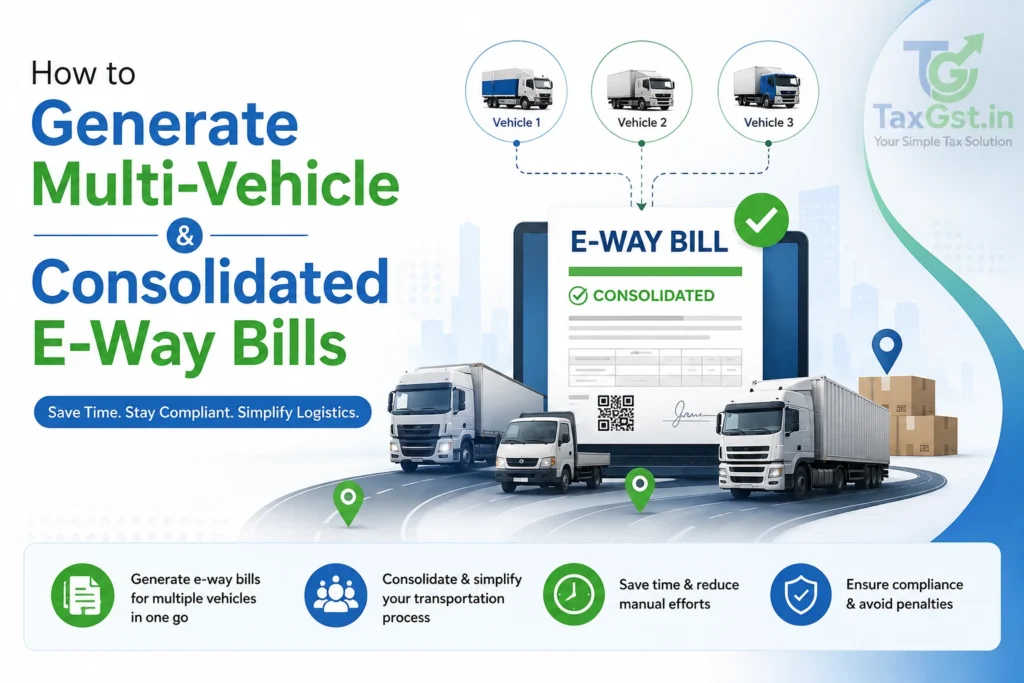
To successfully execute multi-vehicle or transshipment logistics under GST, a transporter must strictly comply with Rule 138 of the CGST Rules, 2017. If goods are transferred from one truck to another during transit (due to breakdowns or hub-and-spoke models), the transporter must update “Part B” of FORM GST EWB-01 with the new vehicle details before the new truck moves. Furthermore, if a single vehicle is carrying multiple consignments (LTL freight), the transporter must generate individual e-way bills for each consignment exceeding ₹50,000 and subsequently consolidate their serial numbers into a single FORM GST EWB-02 (Consolidated E-Way Bill) prior to the commencement of the journey.
Also Read-E-Way Bill Rules 2026: Limit, Validity and Exemptions Explained
Quick Summary: Multi-Vehicle E-Way Bills & Consolidations
- Transshipment (Rule 138(5)): Requires updating Part B of the existing EWB with new vehicle details before further movement.
- Consolidation (Rule 138(6)): Requires generating FORM GST EWB-02 when multiple consignments share a single vehicle.
- Threshold: EWB generation is mandatory if the consignment value exceeds ₹50,000 (though states have varying thresholds for intra-state movement).
- Multimodal Transport: When goods shift from Road to Rail/Air/Ship, Part B must be updated with the RR (Railway Receipt) or Airway Bill number.
- E-Invoice Integration: Uploading your tax invoice in FORM GST INV-1 auto-populates Part A of the E-way bill, dramatically speeding up multi-vehicle compliance.
The Statutory Framework: Why Multi-Vehicle Tracking Exists
The introduction of the E-Way Bill system under Section 68 of the CGST Act, 2017 replaced the fragmented, physical “waybill” systems of the pre-GST VAT era. The core philosophy of the EWB system is to create a flawless, unbroken digital trail of goods from the consignor’s warehouse to the consignee’s doorstep.
However, the logistics industry rarely operates on a simple Point A to Point B model using a single truck. Goods are consolidated at hubs, moved via railways, shifted to smaller delivery vans, or unexpectedly transferred mid-highway due to mechanical breakdowns. To accommodate this commercial reality without compromising tax surveillance, the CBIC introduced specific transshipment and consolidation provisions within Rule 138 of the CGST Rules, 2017.
A “Multi-Vehicle E-Waybill” is not a separate form; rather, it is the procedural act of updating an active e-way bill to reflect the dynamic reality of the transport network. The system relies on two critical components:
- Part A (The Goods): Contains static data (GSTINs, HSN codes, Invoice Value) that generally cannot be altered once generated.
- Part B (The Conveyance): Contains dynamic data (Vehicle Number, Transporter ID, Transport Document Number) which can and must be updated every time the mode of transport changes.
Scenario 1: Mid-Transit Vehicle Breakdowns & Transshipments (Rule 138(5))
The most common multi-vehicle scenario occurs when goods must be shifted from one truck to another. This usually happens due to a mechanical breakdown, an accident, or a planned hub-and-spoke transfer where long-haul trailers unload goods onto smaller delivery vehicles for city limits.
Rule 138(5) states: “Where the goods are transferred from one conveyance to another, the consignor or the recipient, or the transporter shall, before such transfer and further movement of goods, update the details of conveyance in the e-way bill on the common portal in Part B of FORM GST EWB-01.”
Step-by-Step Transshipment Workflow on the NIC Portal
- Login: The assigned transporter logs into the NIC E-Way Bill portal using their Transporter ID (TRANSIN) or GSTIN.
- Select Update Part B: Navigate to the e-Waybill → Update Part B / Vehicle section.
- Retrieve EWB: Enter the 12-digit E-Way Bill Number (EBN) of the active consignment.
- Input New Details: Enter the new Vehicle Number, the Place of Change, the State of Change, and select the Reason for Change from the drop-down menu (e.g., Breakdown, Transshipment).
- Submit: The portal instantly maps the new vehicle to the existing Part A details. The driver of the new vehicle must now carry this updated digital or physical EWB.
The Multi-Vehicle Option for LTL Freight
Sometimes, a massive consignment initially carried by a large trailer must be split into three smaller trucks for final delivery. The portal provides a specific “Change to Multi-Vehicle” option for this. The transporter enters the original EWB, specifies the total quantity being split, and inputs the destination and vehicle numbers for the multiple smaller trucks. The portal generates a separate, branched EWB number for each smaller vehicle, ensuring every truck has a valid document linked back to the master invoice.
Scenario 2: Generating Consolidated E-Way Bills (FORM GST EWB-02)
Logistics companies operating Parcel Services (Less Than Truckload – LTL) frequently load dozens of different consignments from various suppliers into a single truck. Carrying 50 individual sheets of paper is a logistical nightmare for the driver and makes highway interceptions unnecessarily tedious for GST officers.
To solve this, Rule 138(6) requires the generation of a Consolidated E-Way Bill. It acts as a master manifest for the vehicle.
The Prerequisites for Consolidation:
- Individual E-Way Bills (EWB-01) must first be generated for every consignment in the truck whose invoice value exceeds ₹50,000.
- All the individual EWBs must be assigned to the same Transporter ID.
- All the consignments must be physically loaded into the same vehicle.
Step-by-Step Consolidation Workflow (EWB-02)
Before the vehicle departs, the transporter logs into the e-way bill portal and navigates to Consolidated EWB → Generate New. The transporter enters the Vehicle Number and the State of departure. Next, they input the 12-digit serial numbers of all the individual EWBs being carried. Upon submission, the portal generates a single FORM GST EWB-02 featuring a unique 12-digit Consolidated E-way Bill Number (CEBN). The driver only needs to present this CEBN to the mobile squad; the officer can scan it to pull up the data for all underlying consignments simultaneously.
Scenario 3: Multimodal Transport (Road → Rail → Ship → Air)
Multi-vehicle tracking becomes highly complex when goods shift across entirely different modes of transport. Consider a manufacturer in Pune sending goods to Assam. The goods are loaded onto a truck, taken to the railway station, loaded onto a freight train to Guwahati, and then loaded onto a final truck for warehouse delivery.
Under the CGST Rules, the E-Way bill must actively trace this entire multimodal journey. Here is how the transporter must update Part B at each stage:
| Leg of Journey | Mode Selected in Part B | Document Number Required in Part B |
|---|---|---|
| Factory to Railway Station | Road | Truck Registration Number (e.g., MH-12-AB-1234) |
| Train Journey to Assam | Rail | Railway Receipt (RR) Number and Date |
| Railway Station to Warehouse | Road | New Truck Registration Number (e.g., AS-01-XY-9876) |
| Alternative: Port to Port | Ship / Air | Bill of Lading / Airway Bill Number |
Important Exemption for Railways: As per Rule 138(2A), where goods are transported by railways, the e-way bill must be generated by the registered supplier or recipient, not the railways. Furthermore, the railways shall not deliver the goods to the recipient unless a valid e-way bill is produced at the time of delivery.
Validity Periods and the “8-Hour Extension” Rule
Every time Part B of an e-way bill is updated during a multi-vehicle transfer, the portal recalculates the validity of the EWB based on the remaining distance to the destination. The validity periods under Rule 138(10) are calculated based on a 200 km per day metric for standard cargo.
| Distance of Transport (Non-ODC) | Validity Period |
|---|---|
| Up to 200 km | One day (valid until midnight of the following day) |
| For every additional 200 km or part thereof | One additional day |
| For Over Dimensional Cargo (ODC) or Multimodal Transit involving Ships | |
| Up to 20 km | One day |
| For every additional 20 km or part thereof | One additional day |
The Transporter’s Nightmare: Expired EWBs During Breakdown
If a vehicle breaks down and the goods cannot be transported to their destination within the validity period, the transporter must extend the validity of the EWB. However, the portal enforces a strict 16-hour window for extensions. The transporter can only request an extension 8 hours before the expiry time, or 8 hours after the expiry time.
To extend, the transporter logs in, selects “Extend Validity,” enters the reason (e.g., Natural Calamity, Breakdown, Accident), inputs the current PIN code where the truck is stranded, and enters the new vehicle details if a transshipment is occurring. If the 8-hour window is missed, the EWB permanently expires, and the goods cannot legally move. The supplier must issue a delivery challan and generate a completely new EWB to rescue the stranded goods.
The Dire Consequences: Section 129 Interceptions & Penalties
What happens if a transporter transfers goods to a new truck but forgets to update Part B on the portal? Or what happens if the EWB expires mid-journey due to a breakdown and the validity is not extended?
If the vehicle is intercepted by a GST mobile squad, the proper officer will check the physical documents against the RFID or portal data. If the vehicle number on the road does not match the vehicle number in Part B of the EWB, the officer will immediately initiate proceedings under Section 129 of the CGST Act, 2017 (Detention, seizure and release of goods and conveyances in transit).
The Interception Workflow (MOV Forms)
- GST MOV-01: The officer issues a statement recording the vehicle interception.
- GST MOV-02: Order for physical verification/inspection of the conveyance, goods, and documents.
- GST MOV-06: If the Part B mismatch is confirmed, the officer issues an Order of Detention under Section 129(1). The truck is officially seized and parked at a secure facility.
- GST MOV-07: A Show Cause Notice (SCN) is served to the person in charge of the conveyance, demanding the statutory penalty.
The Penalty: As per the amended Section 129, the penalty for transporting goods with an invalid/mismatched E-way bill is 200% of the tax payable on such goods (if the owner comes forward to pay). If the owner does not come forward, the penalty is 50% of the value of the goods or 200% of the tax, whichever is higher. This is an exorbitant financial blow caused by a simple failure to update Part B on a portal.
How E-Invoicing (IRN) Simplifies EWB Generation
The integration of the e-Invoice system (IRP) with the E-Way Bill (NIC) system has drastically simplified multi-vehicle compliance for large enterprises.
Under the proviso to Rule 138(1) read with Rule 48(4) of the CGST Rules, a registered person obtains an Invoice Reference Number (IRN) by uploading a tax invoice in FORM GST INV-1 on the e-Invoice portal. When an e-way bill is generated using this IRN, the information in Part A of FORM GST EWB-01 is auto-populated instantaneously. You only need to enter the Transporter ID and Vehicle Number (Part B).
Furthermore, recent portal updates have mandated the capture of the Ship-to GSTIN in Bill-To/Ship-To transactions. If the goods are being shipped to an unregistered party, the value “URP” must be entered. The system validates that the Ship-to GSTIN is distinct from the Bill-to GSTIN, rejecting identical entries to prevent routing fraud.
Common E-Way Bill Portal Error Codes (Multi-Vehicle)
When dealing with multi-vehicle generation and consolidated EWBs, transporters often face API or portal errors. Here are the most common validation errors to watch out for:
| Error Code | Error Description | How to Fix |
|---|---|---|
| 133 | Invalid E-way bill number | Verify the 12-digit EBN entered during EWB-02 consolidation. |
| 302 | Invalid Vehicle Format | Ensure standard format (e.g., MH12AB1234) with no spaces or special characters in Part B. |
| 312 | E-way bill is expired | You are trying to update Part B or consolidate an EWB whose validity has already crossed the 8-hour extension window. |
| 335 | Transporter ID mismatch | You are trying to consolidate EWBs assigned to different transporters. All EWBs must be assigned to your TRANSIN. |
What Should You Do Next?
📋 Transporter & Supplier Action Checklist
- Audit Dispatch Protocols: Ensure every single consignment above ₹50,000 has a fully generated FORM GST EWB-01 before the truck leaves the yard.
- Train Logistics Teams: Instruct ground staff to generate FORM GST EWB-02 (consolidated e-way bill) whenever multiple consignments share one vehicle. Do not hand the driver a stack of 50 individual papers.
- Establish Breakdown SOPs: Create a mandatory Standard Operating Procedure (SOP) where fleet drivers immediately notify the dispatch desk of a breakdown. The desk must update Part B before the replacement truck begins moving to avoid Section 129 penalties.
- Monitor Validity Windows: Map the distance rules under Rule 138(10) to your GPS tracking software. If a delivery is delayed, the operations team must extend the EWB validity within the strict 16-hour (8 hours before/after) window.
- API Integration: If your company handles high-volume LTL freight, integrate your ERP directly with the NIC E-way bill APIs to automate EWB-02 generation and bulk Part B updations.
Frequently Asked Questions (FAQs)
Can a transporter generate an e-way bill for consignments below ₹50,000?
Yes. Under the first proviso to Rule 138(1) of the CGST Rules, the registered person or transporter may voluntarily generate an e-way bill even if the consignment value is less than ₹50,000. Many logistics companies do this to maintain a flawless digital audit trail.
What happens if goods are transferred to a different vehicle without updating Part B?
This is a severe compliance breach. Rule 138(5) mandates updating the vehicle details in Part B before further movement. Failure to do so means the goods are moving without a valid EWB, leading to vehicle detention and a penalty of 200% of the tax payable under Section 129 of the CGST Act.
How many e-way bills can be consolidated into one FORM GST EWB-02?
The CGST Rules do not prescribe a numerical upper limit. Transporters can consolidate dozens of individual e-way bills into a single EWB-02, provided all consignments are being physically carried in the exact same vehicle for that specific leg of the journey.
What is the exact window to extend the validity of an expiring E-Way Bill?
Under Rule 138(10), you can only request an extension on the portal within a narrow 16-hour window: 8 hours before the exact time of expiry, and up to 8 hours after the time of expiry. If you miss this window, the EWB is dead and cannot be resurrected.
How does the Invoice Reference Number (IRN) simplify e-way bill generation?
When a supplier generates an e-Invoice (IRN) by uploading FORM GST INV-1 on the IRP portal, the core invoice data is automatically pushed to the NIC E-way bill portal. This auto-populates Part A of FORM GST EWB-01, completely eliminating duplicate manual data entry for the logistics team.
Can I cancel an E-Way Bill if the goods end up not moving?
Yes. Under Rule 138(9), if an e-way bill has been generated but the goods are not transported, it must be cancelled electronically on the common portal within exactly 24 hours of generation. However, an EWB cannot be cancelled if it has already been verified in transit by a GST officer.
Sources & References
- CBIC — Rule 138 of CGST Rules, 2017
- CBIC — Section 129 of CGST Act, 2017 (Detention & Seizure)
- NIC E-Way Bill System Portal
- GST Council — Electronic Way Bill Operations Flyer
Article Information
Published: September 2, 2026
Last Reviewed: September 2, 2026
Category: GST E-Way Bill Compliance
Regulatory Body: Central Board of Indirect Taxes and Customs (CBIC)
Written by C.K. Gupta, M.Com & Tax Editor at TaxGST.in — assisting logistics companies and MSMEs with E-way bill portal compliance, Section 129 penalty resolutions, and ERP integrations since 2017.
Official Resources
Disclaimer: This article provides a technical interpretation of Rule 138 of the CGST Rules, 2017 regarding multi-vehicle e-way bill generation. E-Way Bill rules regarding validity extensions and vehicle updations (Part B) are strictly enforced by mobile squads. Always consult a practicing Chartered Accountant or GST Advocate if your vehicle is detained under Section 129 of the CGST Act.
Try the free GST calculator for instant figures.
Discover more from TaxGst.in
Subscribe to get the latest posts sent to your email.


Never Miss a Tax Deadline Again
Due-date alerts, GST updates and tax tips — free on the app you already use.
event Next: TDS / TCS Payment · 07 Nov