
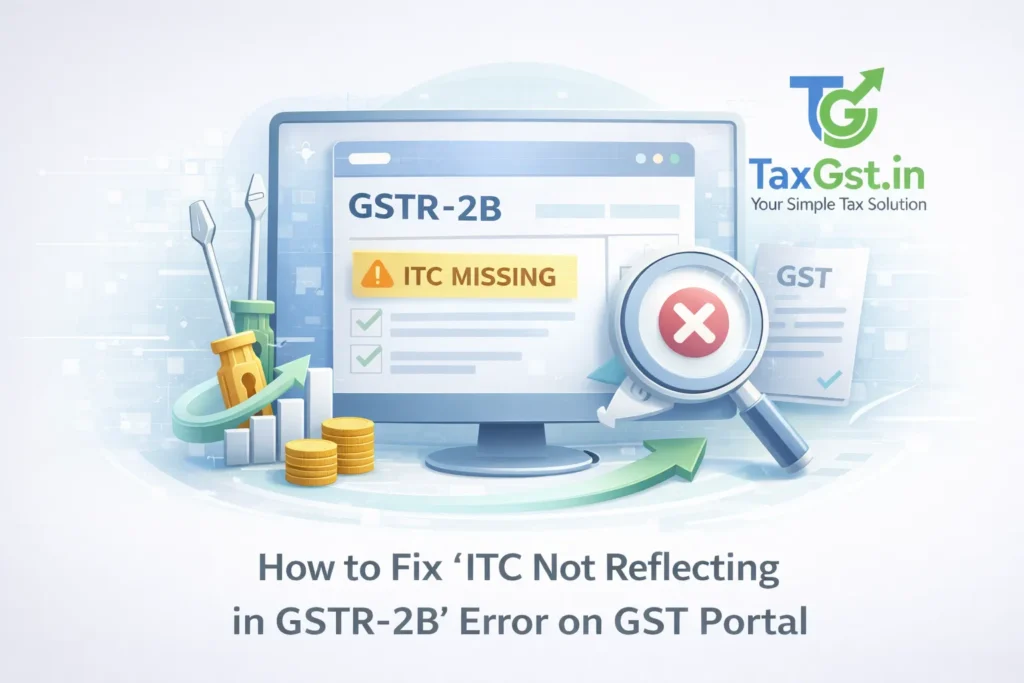
Rahul runs a small manufacturing unit in Pune, specializing in high-precision auto components. Last month, he filed his GSTR-3B confidently, claiming ₹2.8 lakh in Input Tax Credit (ITC) on raw materials he had purchased. He had the physical invoices, the goods had arrived, and he’d paid his suppliers in full.
Suddenly, his filing for the following month got blocked. A red alert flashed on his GST dashboard: DRC-01C Intimation Issued. Rahul was baffled. It turned out that nearly half of his invoices had vanished from his GSTR-2B. One supplier had their GSTIN canceled retroactively; another simply forgot to hit ‘submit’ on their GSTR-1; a third had uploaded the invoice but failed to pay their own taxes. Rahul was looking at a potential ₹50,000+ reversal, plus a crushing 18% interest penalty.
Sound familiar? If you are a business owner or an accountant in India in 2026, this isn’t just a “technical glitch”—it’s a daily survival battle.
In 2026, the GST landscape has shifted drastically. Gone are the days of “provisional ITC” or the 5% cushion we once had. Under the strict amendments to Section 38 and Rule 36(4), GSTR-2B is now the final, undisputed authority. If it’s not in the 2B, you don’t get the credit. Period. With the introduction of the Invoice Management System (IMS) and harder system validations that block GSTR-3B filing for even a ₹1 mismatch, the stakes have never been higher.
This Article will help you to get out of “missing ITC” issue using the exact strategies I use for my clients.
What Exactly Causes ITC to Not Show in GSTR-2B?
Understanding why the error occurs is the first step to fixing it. In 2026, the portal is smarter, but the rules are stricter. Here is a breakdown of why your ITC might be missing:
| Cause of Missing ITC | Real-World Context / Example | Impact in 2026 |
| Supplier GSTR-1 Delay | Supplier files after the 11th or 13th (IFF) of the month. | The invoice will shift to next month’s GSTR-2B. |
| IMS Status: ‘Pending’ | You received the invoice but didn’t “Accept” it in the Invoice Management System. | ITC remains “not eligible” until accepted. |
| Supplier GSTIN Cancelled | Supplier’s registration was canceled by the department for non-compliance. | ITC is auto-purged from your 2B under Section 38. |
| Wrong GSTIN Entered | Supplier accidentally filed against your old GSTIN or a typo-ridden number. | The credit goes to a “ghost” account; you see nothing. |
| Place of Supply (PoS) Error | Supplier marked an IGST transaction as CGST/SGST by mistake. | Shows as “Ineligible ITC” in your GSTR-2B summary. |
| Amendment Mismatches | Supplier amended an old invoice in GSTR-1, but the “original” was never filed. | System fails to link the amendment; ITC disappears. |
| RCM Non-Reporting | You paid tax under Reverse Charge, but the supplier didn’t flag it as RCM. | Discrepancy between GSTR-2B and your liability. |
| System Cache Glitch | The portal shows “No Data Found” despite the supplier having filed. | Purely technical; requires a browser or portal workaround. |
Note: Thousands of taxpayers received Section 73 notices in late 2025 and early 2026 purely because they ignored GSTR-2B mismatches and manually “forced” their ITC claims in GSTR-3B. Don’t be one of them.
Step-by-Step Fix Guide: How to Resolve ITC Mismatches
If your ITC is not reflecting in GSTR-2B, do not panic and do not—I repeat, do not—just manually override the figures in GSTR-3B. The system will likely block your filing or trigger an automated DRC-01C notice. Follow these steps instead.
1. The 14th of the Month Ritual: Download & Reconcile
In 2026, GSTR-2B is generated on the 14th of every month. It is static.
- Action: Log in on the 15th. Download the GSTR-2B Excel file.
- Comparison: Compare this Excel sheet with your Purchase Register (Books).
- Pro Tip: Use the “Filing Date” column in the Excel to see if your supplier filed after the deadline. If they filed on the 14th, that credit will only show up in next month’s 2B.
2. Check the IMS Dashboard (The 2026 Game Changer)
The Invoice Management System (IMS) is now mandatory. If a supplier uploads an invoice, it sits in your IMS dashboard waiting for your action.
- The Fix: If an invoice isn’t in your GSTR-2B, it might be sitting in the “Pending” bucket of the IMS.
- Action: Mark it as “Accepted” before the 3B filing date. If you “Reject” it or leave it “Pending,” it will not flow into your GSTR-2B as eligible credit.
3. Follow Up with Suppliers (The “Soft” Fix)
Most ITC issues are supplier-side errors. You need a paper trail to prove you acted in good faith if the tax department ever sends an ASMT-10 notice.
- Template for Supplier:“Dear [Supplier Name], we are unable to see Invoice No. [X] dated [Date] for ₹[Amount] in our GSTR-2B for [Month]. This is impacting our cash flow and may lead to a DRC-01C notice. Please verify if you have filed your GSTR-1 and if our GSTIN [Your GSTIN] was entered correctly. Requesting an immediate update.”
4. Handling the “Ineligible” Tag
Sometimes the invoice is there, but it’s marked as “Ineligible” in GSTR-2B.
- Check PoS: If you are in Maharashtra and the supplier charged CGST/SGST for a hotel in Delhi, that ITC is ineligible.
- Check Section 38 Blocks: In 2026, if your supplier is a “risky taxpayer” (newly registered or high-risk category), the system might temporarily block that ITC. You cannot fix this manually; the supplier must clear their “risky” status first.
5. Dealing with DRC-01C Intimations
If you claimed more ITC in GSTR-3B than what was available in GSTR-2B (even by a small margin), you will receive a DRC-01C.
- The Fix: You have 7 days to respond.
- If you made a mistake: Pay the difference via DRC-03 with interest.
- If the system is wrong: Provide a detailed explanation. For example: “The ITC of ₹10,000 relates to an Import of Goods (ICEGATE), which often takes 2-3 extra days to sync with GSTR-2B.”
6. Portal Workarounds for Technical Glitches
Sometimes, it’s just the GST portal being difficult.
- The “Incognito” Trick: Always open the GST portal in an Incognito/Private window. The portal’s heavy cache often shows outdated data.
- Refresh B2B Tables: Go to the GSTR-1/IFF section of the supplier (if you have access) and then check your “View GSTR-2B.”
- Off-Peak Hours: Try downloading reports before 9:00 AM or after 10:00 PM. The server load in 2026 is still a challenge during peak filing windows (18th–20th).
[Screenshot: GSTR-2B download section and IMS dashboard view]
Prevention Tips for 2026 Onward
The 2026 GST regime rewards the proactive and punishes the reactive. Here is a checklist to ensure you never face a massive GSTR-2B ITC mismatch fix situation again.
Monthly Compliance Checklist
| Date | Action Item | Why? |
| 10th | Verify Supplier Filing Status | Check “Search Taxpayer” to see if they filed GSTR-1. |
| 12th | Bulk WhatsApp Reminders | Remind non-filers that the 13th is the IFF deadline. |
| 15th | Reconciliation & IMS | Sync 2B with Books; Accept/Reject invoices in IMS. |
| 17th | Final ITC Approval | Freeze the ITC figure for the month’s GSTR-3B. |
| Quarterly | Vendor KYC Audit | Check for cancelled GSTINs or “taxpayer type” changes. |
New 2026 Rules to Watch
- Real-time IMS Alerts: You now get SMS alerts when a supplier “deletes” or “amends” an invoice you previously accepted. Act on these immediately.
- Hard Blocks: The portal now prevents the “Offset Liability” button from working if the GSTR-3B vs GSTR-2B variance exceeds a specific threshold (currently 0% for most, with a tiny ₹1-10 rounding tolerance).
What If Nothing Works? Escalation Steps
You’ve reconciled, you’ve talked to the supplier, and you’ve cleared your cache—but the ITC is still missing. What next?
- Raise a Grievance Ticket: Use the GST Self-Service Portal. Attach your purchase register and the supplier’s GSTR-1 filing proof (if they provided it).
- Contact the Jurisdictional Officer: If the amount is large (e.g., >₹5 Lakhs), write a formal letter to your Range Superintendent. Explain the mismatch and provide the “Good Faith” evidence (payment via banking channels, E-way bills, etc.).
- The High Court Route: In recent 2025 and 2026 cases, several High Courts have ruled that ITC cannot be denied to a genuine buyer solely because of a supplier’s default, provided the buyer can prove the transaction occurred. While this is a last resort, it is a powerful shield against mechanical rejections by the portal.
Frequently Asked Questions (FAQs) on GSTR-2B ITC Mismatches (2026 Guide)
Can I claim ITC if it is not reflecting in GSTR-2B in 2026?
What is the Invoice Management System (IMS) on the GST Portal?
My supplier filed GSTR-1 on the 14th of the month. Why is ITC missing?
How do I fix a ‘Place of Supply’ (PoS) error in GSTR-2B?
What should I do if I receive a DRC-01C notice for ITC mismatch?
Can I claim ITC on Import of Goods if it’s not in GSTR-2B?
Why is some ITC shown as ‘Ineligible’ due to Section 38?
Reconcile Early, Save Cash Flow
The “ITC not reflecting in GSTR-2B” error is more than just a nuisance; in 2026, it is a direct threat to your business’s liquidity. The GST portal has evolved into a rigid, validation-heavy system. The only way to survive is to be more organized than the system itself.
The Golden Rule: Never wait until the 20th to check your ITC. By then, it’s too late to fix supplier errors or handle IMS actions. Start your reconciliation on the 14th, act on the 15th, and file by the 18th.
Struggling with a complex ITC mismatch or a DRC-01C notice? Don’t let penalties pile up. Drop your GSTIN or your specific query in the comments below, or reach out to us at taxgst.in for a professional consultation. We’ve helped hundreds of businesses navigate these hurdles—we can help you too.
Official References & Authority Resources
To ensure you stay compliant with the latest 2026 GST regulations, we recommend referring to these official government resources:
- GST Common Portal: Access the Official GSTN Portal for return filing and IMS dashboard actions.
- CBIC Tax Information: Read the official legal text of Section 16 of the CGST Act regarding ITC eligibility.
- IMS User Manual: Download the Official Advisory on Invoice Management System (IMS).
- GST Council Updates: Stay updated with the latest GST Council Meeting Press Releases for 2026 rule changes.
- GSTR-2B Guide: Official GSTR-2B System Tutorial provided by the GSTN helpdesk.
Discover more from TaxGst.in
Subscribe to get the latest posts sent to your email.

Stay Updated!
Join our community for latest tax updates, GST news & finance tips